How We Grew LinkedIn Impressions 992% in 83 Days

February 20, 202612 min read
How We Grew LinkedIn Impressions 992% in 83 Days

A small team, no content budget, and one rule: everything gets made with AI. The results changed how we think about content calendars.

Last updated: February 2026

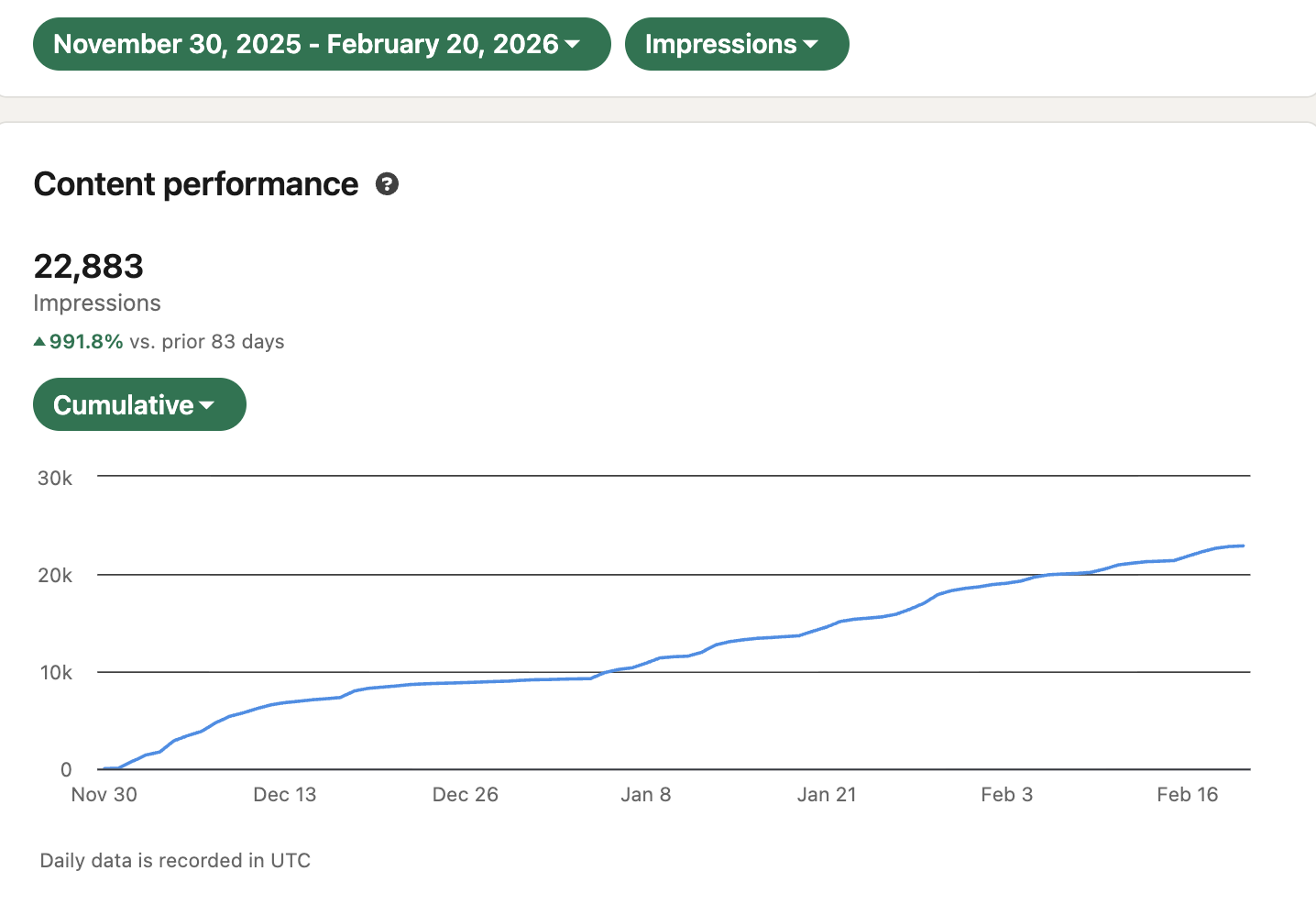
In 83 days, our LinkedIn impressions went from roughly 2,000 per month to 22,883. That's a 992% increase. We reached 7,200 unique members (up 411%), and our top post hit over 4,000 impressions on its own. We didn't study the algorithm. We didn't hire a content team. We built a system that actually produces content, and then we let it run.

This post breaks down exactly how we did it, what tools we evaluated, and why most content automation advice misses the point entirely.

The Problem: A Content Calendar That Never Stays Full

We're a small team at Cosmos, split between outbound sales and engineering. Nobody had "content" in their job title. Our previous strategy was basically: "I gotta post something today." Someone would spend hours writing something vapid, we'd get maybe 2,000 impressions that month, and the cycle would repeat.

Content automation tools are a $2.5 billion market growing 16.2% annually, but most of them automate the wrong thing. They schedule posts. They route approvals. They don't actually make anything.

If you're a founder or growth marketer running content for a small team, the bottleneck isn't distribution. It's production. That's the lesson this case study taught us, and it's the foundation of everything that follows.

The Quick Verdict

  • If you just need scheduling: Buffer, Hootsuite, and Later work fine. You don't need this article.
  • If you need text automation: Jasper and Copy.ai can generate blog drafts and ad copy on a schedule.
  • If you need multi-format generation (text + image + video) on autopilot: That's the gap. Most tools can't do this. Cosmos can, with branded content across formats on a recurring schedule, starting at $29/mo.
  • If you want to DIY it with Zapier/Make: Possible for text. Breaks down fast when you add image and video to the mix.

What We Changed: One Rule That Fixed Everything

We made a single decision that unlocked the 992% growth: everything posted has to be made with Cosmos.

No more scrambling to write something by hand. No more half-finished carousels sitting in Canva. We set up our own content automation system using Cosmos and committed to letting AI handle the production bottleneck.

The result? We didn't just post more. We posted consistently. And consistency is what platforms reward. Not a single viral post. Not one algorithm hack. Just a system that never missed a beat for 83 straight days.

Here's exactly how that system works.

Why Most Content Calendars Stay Half-Empty

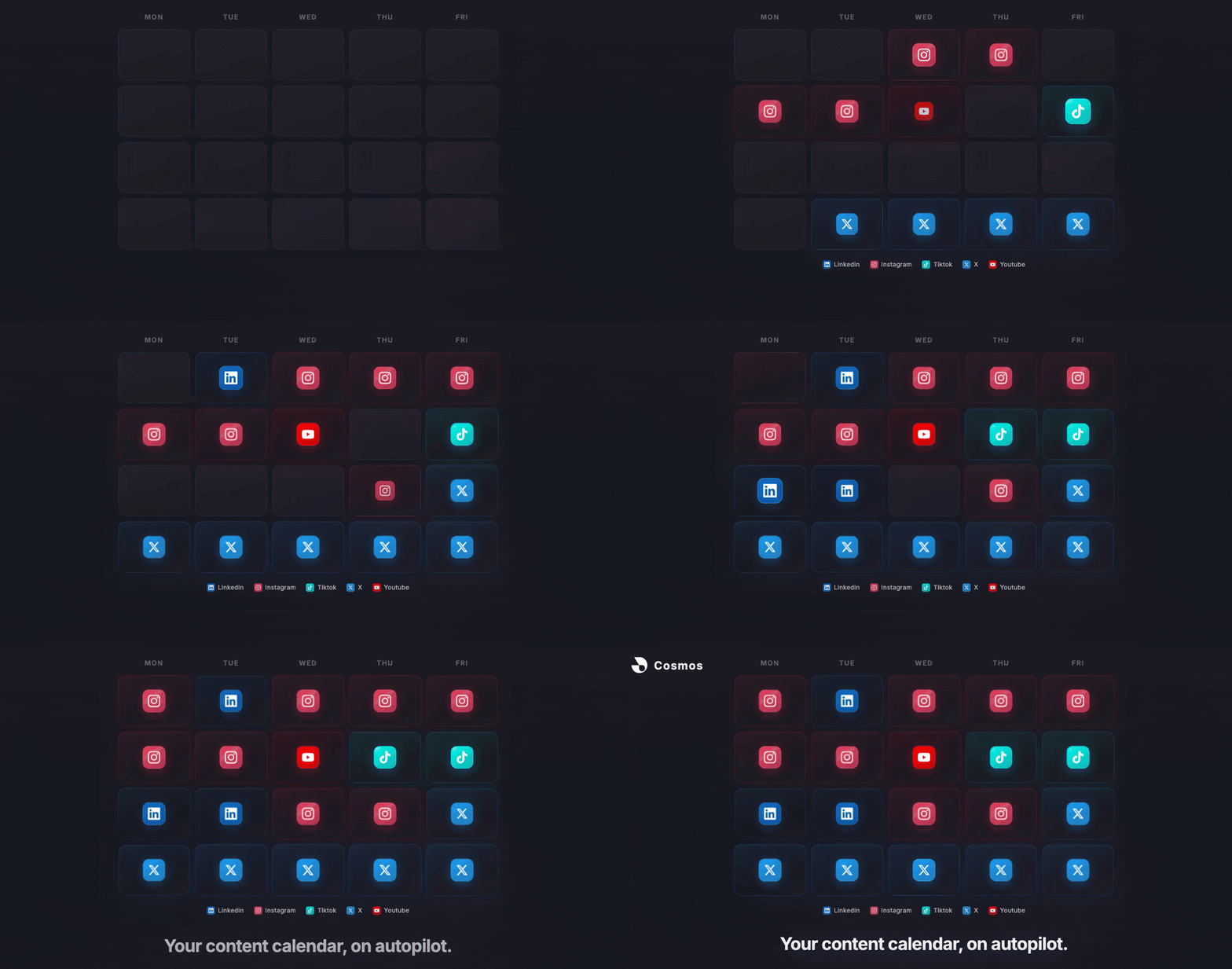
You've seen the templates. The color-coded spreadsheet. Monday is a blog post, Wednesday is a carousel, Friday is a video. It looks great on paper.

Then week two hits. The blog post is half-drafted. The carousel never got designed. The video? Nobody even started it.

This isn't a planning problem. It's a production problem. 80% of marketers are already using AI for content creation (Typeface), but there's a difference between "I use ChatGPT sometimes" and having a system that reliably produces finished content on a schedule.

The content calendar doesn't fail because of bad strategy. It fails because one person can't produce five formats across three channels every week. The calendar is a plan. You need a production line. That's exactly what we built.

What "Content Automation" Actually Means in 2026

Content automation is the use of AI and software to automatically generate, schedule, and distribute content without manual creation for each piece. In 2025, most content automation meant one of two things:

  1. Scheduling: write a post, schedule it for Thursday at 2pm
  2. Workflow routing: draft goes to editor, editor approves, post publishes

Neither of these creates content. They move existing content from point A to point B.

In 2026, AI content automation means something different: automated content generation. AI that creates text, images, and video on a recurring schedule, using your brand context, without you pressing a button every time.

This is where the market is going. The marketing automation market is projected to hit $81 billion by 2030 (MarketsandMarkets), and 91% of marketers say demand for automation is rising this year (Cropink). But most of that spend still goes to distribution, not creation.

The real unlock isn't automating when you post. It's automating what you post. That's what drove our 992% growth.

The 3 Levels of Content Automation

Not all automation is equal. Here's how to think about where you are and where you want to be:

Level 1: Schedule and Publish

You create everything manually. Tools handle timing and posting. This is Buffer, Hootsuite, Later. It saves you 30 minutes a day, tops. The production bottleneck stays. This is where we were before the experiment.

Level 2: Workflow Automation

You connect tools with Zapier or Make. Maybe a new blog post triggers a social summary via GPT, which gets added to a scheduling queue. Text-only, fragile, requires maintenance. Better, but still limited to one format.

Level 3: Automated Content Generation

AI generates complete, multi-format content (text, images, video) on a recurring schedule, using your brand voice, visual style, and audience context. This is where content automation for small teams actually solves the production problem. This is where we moved to, and where the 992% growth happened.

Most teams are stuck at Level 1. Some have cobbled together Level 2. Level 3 is what closes the gap between "content strategy" and "content actually getting made."

How We Built the System: Step by Step

Here's the exact framework we used, broken down so you can replicate it regardless of your tools:

Step 1: Define Your Brand Context

AI without brand context produces generic content. Before automating anything, document:

  • Voice: Tone, vocabulary, phrases you use and avoid
  • Visual style: Photography aesthetic, color palette, design preferences
  • Audience: Who you're talking to, their pain points, what they care about
  • Competitors: What you're positioning against

This is the difference between content that sounds like you and content that sounds like everyone. In Cosmos, this lives in Brand Profiles: deep persona documents (up to 20K characters) that include voice attributes, visual style, audience data, and content samples. Every automation references this profile.

Step 2: Map Your Content Cadence

Decide what gets produced and when. Be realistic:

  • Daily: Social posts (text + image). The easiest to automate.
  • 2-3x/week: Short-form video (15-60 sec). Increasingly automatable with AI video.
  • Weekly: Long-form content (blog, newsletter). AI can draft, you edit.

For our LinkedIn experiment, we focused on daily social posts and 2-3 visual pieces per week. The key was never breaking the cadence. Consistency compounded our reach over the full 83 days.

Step 3: Set Up Recurring Generation

This is where most systems break. You need a tool that:

  • Runs on a schedule (not just when you remember to prompt it)
  • Applies brand context automatically
  • Generates across formats (not just text)
  • Lets you review before publishing

In Cosmos, Automations handle this: set a daily, weekly, or custom cron schedule. Attach your brand profile. Choose your preferred AI models. Set the content type, aspect ratio, and overlays (logo, CTA text). Generate 1-50 pieces per run. The system enriches prompts with research context and produces finished content in your library.

Step 4: Review and Publish

Automation doesn't mean zero human involvement. The best workflow is:

  1. AI generates a batch of content on schedule
  2. You review (5-10 minutes vs. 5-10 hours of creation)
  3. You publish the best pieces, tweak others, skip the rest

This flips the ratio. Instead of spending 90% of your time creating and 10% reviewing, you spend 10% reviewing and 90% on strategy. That's exactly what happened with our team. Engineers went back to engineering. Salespeople went back to selling. Content kept shipping.

Text vs Image vs Video: Why Multi-Format Matters

Here's the blind spot in most content automation tools: they only handle text.

Jasper's Content Pipelines feature automates text generation. Copy.ai does GTM workflow automation, also text. Repurpose.io clips existing video but doesn't generate new content.

But the platforms your audience uses are increasingly visual and video-first. AI-generated video is projected to account for 10% of all digital video content by 2026. LinkedIn, Instagram, TikTok, YouTube Shorts: they all reward video. If your automation system only produces text, you're automating the easiest 30% of your content needs.

Multi-format matters because:

  • Different channels need different formats. A LinkedIn text post, an Instagram carousel, and a TikTok video serve the same message to different contexts.
  • Video drives engagement. But it's also the hardest to produce manually, which makes it the highest-leverage format to automate.
  • Brand consistency across formats requires centralized brand context. When your text, images, and video all pull from the same brand profile, everything feels cohesive.

Cosmos handles this with a full video pipeline: text-to-video, image-to-video, branded overlays, and access to multiple AI video models (Veo 3.1, Wan 2.5, Hailuo 2.3, Kling 2.6) so you can pick the best output for each piece.

What Our Automated Content Week Looked Like

Here's a concrete look at what the system produced during our 83-day experiment:

Monday morning, 7am: The automation ran. It generated:

  • 3 LinkedIn text posts for the week (brand voice, audience pain points, trending topics via research enrichment)
  • 2 short-form videos (product concept explainers, 30 seconds each, branded with our logo and CTA)
  • 5 image assets (quote cards, data visualizations, product screenshots with overlays)

Monday, 9am (us): Open the content library. Spend 15 minutes reviewing. Approve 8 of 10 pieces. Edit one headline. Discard one video that missed the mark.

Rest of the week: Content publishes on schedule. Team focuses on product, sales, and customers.

Compare that to the old way: spending Monday through Wednesday writing posts, briefing a designer, waiting for video edits, and scrambling to fill the calendar by Friday.

AI delivers 34% more consistent content scheduling than non-AI teams. That consistency compounds. Over 83 days, it compounded into 22,883 impressions and 7,200 unique members reached. Not because any single piece went viral. Because the cadence never broke.

Content Automation Tools Compared

Here's an honest breakdown of what each tool category can and can't do for automated content generation:

Tool Generates Content Multi-Format Recurring Schedule Brand Context
Buffer / Hootsuite / Later No N/A Scheduling only No
Zapier / Make Via connections Text mostly Yes Manual
Jasper Text only Text only Pipelines feature Brand voice
Copy.ai Text only Text only Workflows Limited
Repurpose.io Clips existing Video clips Yes No
Cosmos Yes Text + Image + Video Cron scheduling Full brand profiles

Every tool on this list is good at what it does. Buffer is great for scheduling. Jasper is solid for text. The gap is in multi-format automated content generation with brand awareness on a recurring schedule. That's the specific problem we solved to hit 992% growth, and most tools weren't built for it.

Businesses earn $5.44 for every $1 spent on marketing automation (Cropink). The ROI is there. The question is whether your automation covers the full content pipeline or just the last mile.

The Real Answer: Automate Generation, Not Just Distribution

Here's the thing about content automation in 2026: the hard part was never scheduling a post. The hard part was making the post.

We proved that with real numbers. A small team with zero content budget grew LinkedIn impressions 992% in 83 days. The bottleneck for most teams isn't ideas or distribution. It's production. Remove the production bottleneck, and the results follow.

If you're a small team trying to automate your content calendar without hiring, you need a system that actually produces content (text, images, and video) on a schedule, in your brand voice, with enough quality that you're editing rather than creating from scratch.

That's what Cosmos is built for.

What you get:

  • Automations: Set it and forget it. Daily, weekly, or custom schedules. 1-50 pieces per run.
  • Brand Profiles: Your full brand DNA: voice, visual style, color palette, audience, competitors. Every generation references it.
  • Multi-model access: Veo 3.1, Wan 2.5, Hailuo 2.3, Kling 2.6 for video. Multiple image and text models. Pick the best output.
  • Video pipeline: Text-to-video, image-to-video, branded overlays with logo, CTA, and custom text. Aspect ratio control for every platform.
  • Content library: Everything generated, searchable with AI-powered semantic search. Your team can access and reuse.
  • $29/mo Creator plan. Free to start with 5 automation trial runs.

AI powers 77% of content in automated workflows already (Cropink). The content automation AI tools market is headed to $8.7 billion by 2033. This isn't a bet on the future. It's catching up to the present.

Start automating your content calendar →

The Bottom Line

Most content calendar automation advice tells you to use a scheduling tool and batch your work on Sundays. That's not automation. That's discipline, and it doesn't scale.

We tried that approach. It got us 2,000 impressions a month. Then we built a real content automation system and hit 22,883 impressions in 83 days.

Real AI content automation in 2026 means:

  • Generation, not just distribution. AI creates the content, not just posts it.
  • Multi-format. Text, image, and video from one system.
  • Brand-aware. Your voice, your style, every time.
  • Recurring. Runs on a schedule without you triggering it.
  • Reviewable. You're the editor, not the assembly line.

You can cobble this together with five tools and a Zapier chain. Or you can use a platform built for it.

The content calendar doesn't need more planning. It needs a production system. We have the numbers to prove it.

Last updated: February 2026